AI Animation for Marketing: Complete Guide for Brands [2026]
How to use AI animation tools for marketing content — explainers, product demos, social series, and ads. Covers production workflow, cost comparison, platform specs, and when animation outperforms live video.
Animation used to be the format brands wanted but could not afford. A 30-second animated explainer from a studio costs $5,000-$15,000. A character-driven ad campaign costs $20,000-$50,000. At those prices, animation was reserved for enterprise brands with six-figure creative budgets.
AI changed the math. The same 30-second explainer now costs $500-$1,500. A character-driven campaign with 10 variations costs $2,000-$5,000. The production timeline collapsed from weeks to days. The quality gap between AI and studio animation, while not zero, is small enough that most viewers cannot tell the difference in a social media feed.
This guide covers the four types of AI animation that work for marketing, the production workflow for each, platform-specific requirements, and how to evaluate whether animation is the right format for your brand.
Four Types of AI Animation for Marketing
1. Explainer Animations
The workhorse of B2B and SaaS marketing. Explainer animations visualize how a product works, what problem it solves, and why the viewer should care. They turn abstract concepts into visual stories.
Best for: Software products, financial services, health and wellness brands with complex mechanisms, any product where the value proposition is hard to photograph.
Structure: Problem statement (5 seconds) followed by solution visualization (15-20 seconds) followed by CTA (5 seconds). Total: 25-30 seconds for ads, 60-90 seconds for landing pages and YouTube.
AI advantage: Traditional explainers require storyboarding, illustration, and frame-by-frame animation. AI collapses illustration and animation into a single step — describe the scene, generate it, animate it.
2. Product Demo Animations
Show the product in action without a physical shoot. Particularly effective for digital products where screen recordings feel flat, and for physical products where you want to show the product in lifestyle contexts that would be expensive to stage.
Best for: Apps, digital tools, consumer electronics, products with multiple use cases.
Structure: Product in context (3 seconds) followed by feature demonstration (10-15 seconds) followed by benefit statement (5 seconds) followed by CTA (3 seconds).
3. Character-Driven Series
A recurring animated character — a mascot, a spokesperson, a personified product — that appears across multiple ads and social posts. The character builds brand recognition over time and eliminates dependency on human creators.
Best for: Brands with a distinctive personality, products targeting younger demographics, subscription services that need ongoing content, any brand that wants to build a recognizable visual identity in feeds.
AI advantage: Once the character is designed and the style is locked, producing new episodes costs almost nothing. A character-driven series that would require $50,000+ annually with a traditional studio costs $5,000-$10,000 with AI tools. Read our character design guide for the production details.
4. Social Content Animations
Short, attention-grabbing animated clips for TikTok, Reels, and Stories. These are not ads in the traditional sense — they are organic content that uses animation as a scroll-stopping device.
Best for: Brand awareness, viral content plays, community engagement, trending audio with visual storytelling.
Structure: 5-15 seconds. Hook in the first frame. Visual payoff by second 3. Simple enough to loop.
Cost Comparison
| Content Type | Traditional Studio | Freelance Animator | AI Production (Agency) | AI Production (DIY) |
|---|---|---|---|---|
| 15s social clip | $1,500-$3,000 | $500-$1,500 | $200-$500 | $50-$150 |
| 30s ad | $5,000-$15,000 | $2,000-$5,000 | $500-$1,500 | $150-$400 |
| 60s explainer | $10,000-$30,000 | $3,000-$8,000 | $1,000-$3,000 | $300-$800 |
| Character design | $2,000-$5,000 | $500-$2,000 | $200-$500 | $50-$150 |
| 10-ad campaign | $20,000-$50,000 | $8,000-$20,000 | $3,000-$8,000 | $800-$2,000 |
The DIY column assumes a marketer with basic editing skills and 5-10 hours of practice with AI tools. The agency column assumes professional art direction, editing, and sound design. The quality difference between DIY and agency is significant — comparable to the difference between a phone photo and a professional shoot.
Production Workflow
Phase 1: Creative Brief (1-2 Hours)
Define the concept before touching any tool. The brief should specify:
- Objective: What should the viewer do after watching?
- Style: Realistic, illustrated, 3D, minimal, retro, or another defined aesthetic
- Story beats: What happens in each 3-5 second segment
- Character notes: If applicable, personality traits, visual style, expressions needed
- Reference examples: Links or screenshots of the visual quality and style you want
Phase 2: Asset Generation (2-4 Hours)
Generate the visual components — characters, backgrounds, objects, text elements. This is where AI tools replace what would be weeks of illustration work.
Characters: Generate in Midjourney or Flux using style-locked prompts. Create a character sheet with multiple angles and expressions. Use image-to-image features to maintain consistency across scenes.
Backgrounds: Generate environment art that matches your brand palette. Keep backgrounds simpler than characters — busy backgrounds compete with the message.
Objects: Product renders, UI mockups, props. Generate separately and composite in editing if needed.
Phase 3: Animation (2-6 Hours)
Feed your generated images into video AI tools. Each tool has different strengths:
- Runway Gen-4: Best for smooth, cinematic motion. Good camera movement. Use for hero shots and key scenes.
- Kling 2.0: Strong character movement and gestures. Good for talking-head style character animation.
- Pika 2.0: Fast generation, good for simple motions and looping clips. Use for background animations and subtle movements.
- Hailuo: Good quality-to-speed ratio. Useful for bulk generation of scene variations.
Generate 2-3 animation variants per scene and select the best. AI animation is not yet reliable enough to produce perfect output on every generation — budget for iteration.
Phase 4: Voiceover and Sound (1-2 Hours)
Add AI voiceover (ElevenLabs, PlayHT) or license music. For explainers, voiceover is nearly mandatory — the narration carries the information while the visuals carry the emotion. For social clips, trending audio or simple sound effects often work better than voiceover.
Phase 5: Editing and Export (1-3 Hours)
Assemble the animated clips, add text overlays, sync voiceover, and export for each platform. Export specs:
| Platform | Aspect Ratio | Max Length | File Size |
|---|---|---|---|
| TikTok | 9:16 | 3 minutes | Under 287 MB |
| Instagram Reels | 9:16 | 90 seconds | Under 250 MB |
| Meta Feed Ads | 1:1 or 4:5 | 60 seconds | Under 4 GB |
| YouTube Pre-roll | 16:9 | 15-30 seconds | Under 256 GB |
| YouTube Shorts | 9:16 | 60 seconds | Under 256 GB |
| 1:1 or 16:9 | 10 minutes | Under 5 GB |
When Animation Beats Live Video
Animation outperforms live-action and UGC in specific situations:
The product is invisible. Software, APIs, data platforms, financial products. You cannot film what the customer actually buys, so you visualize the value.
The concept is abstract. “Save 40% on cloud costs” means nothing as a talking-head clip. As an animation showing a shrinking bar chart with money flying back into the viewer’s wallet, it becomes visceral.
You need high creative volume. Animation scales because iteration is cheap. Once the visual system exists, producing 20 variations costs the same as producing 5. For brands that need to test at high velocity, animation is the most efficient format.
Creator dependency is a problem. UGC requires finding, briefing, managing, and paying creators for every new concept. Animation requires only a creative brief and a few hours of production time. For brands that have struggled with creator reliability or want to eliminate that variable, animation solves it.
Compliance restricts what you can show. Pharmaceutical, financial, and alcohol brands face strict rules about depicting real people using products. Animated characters sidestep many of these restrictions while still communicating the message.
When to Stick With Live Video
Animation is not always the answer. Keep using live-action or UGC when:
- The customer needs to see the real product before buying (fashion, food, beauty, furniture)
- Social proof is the primary conversion driver (reviews, testimonials, unboxings)
- The brand personality is built around a real person (founder-led brands)
- The target audience is over 55 and expects traditional content formats
The strongest creative programs test animation alongside their existing formats rather than replacing them. Data, not assumption, should determine the mix.
For a deep dive into cartoon ad production specifically, see our cartoon ad creative guide. For cost benchmarks across AI video formats, read our AI video production cost breakdown. And for the full AI creative workflow from brief to delivery, our AI creative workflow guide covers the end-to-end process.
Why Brands Outsource AI Animation
The tools are accessible. The workflow is documented above. So why do brands hire an agency instead of producing AI animation in-house?
The answer is not capability — it is throughput and strategy. A marketer learning Runway and Kling can produce a usable 15-second clip in 4-8 hours. An experienced AI production team produces the same clip in 1-2 hours — and produces 20 variations in the time it takes a beginner to finish one. The learning curve is real: prompt engineering, character consistency, style locking, and editing all require practice that compounds over months.
More importantly, production without strategy is just content. Deciding what to animate, which illustration styles to test, how to exploit Meta’s Andromeda algorithm for visual diversity — these decisions determine whether animated content generates revenue or just fills a content calendar. An agency that bundles creative strategy with AI production delivers concepts designed to test specific hypotheses, not just look good.
The economics are straightforward. Hiring a freelance AI animator costs $3,000-$5,000 per month for 10-15 finished clips. Adding a creative strategist to direct the work costs another $5,000-$8,000. An agency like OKAD delivers both — strategy plus 20-30+ concepts per month — for a comparable total, with structured creative testing and performance-driven iteration built into every cycle.
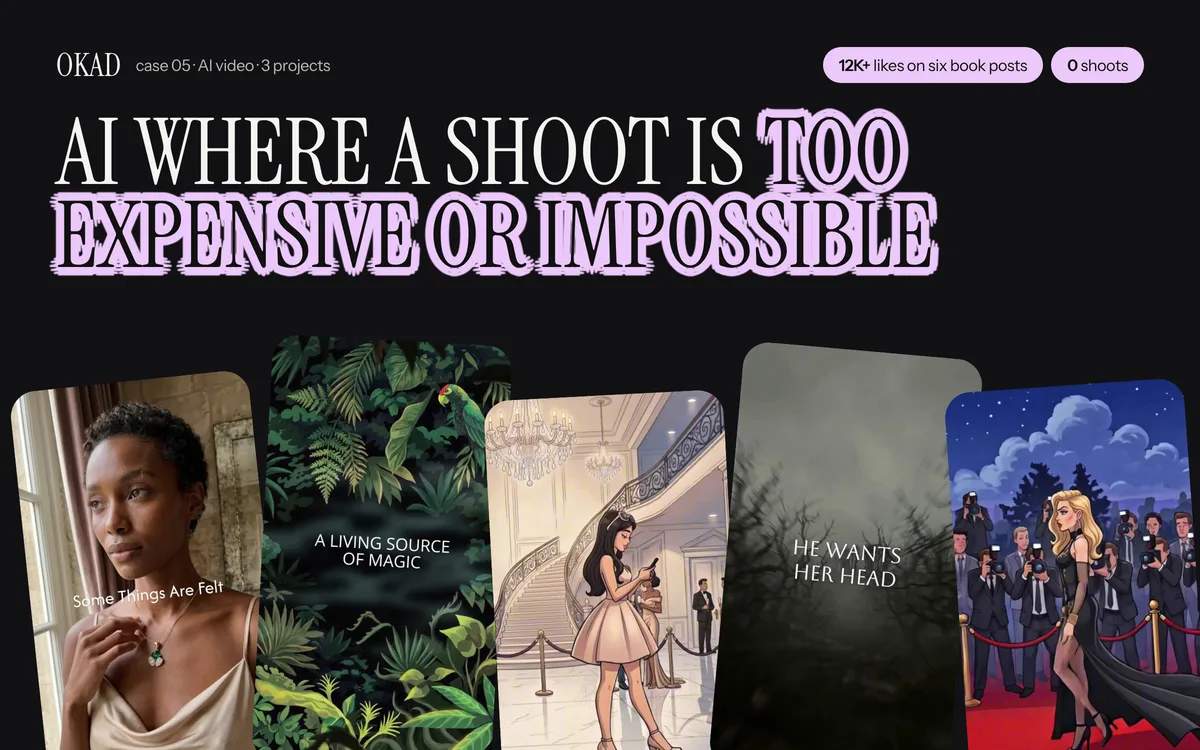
AI illustration and animation produced by OKAD — from character design to finished ad creatives. See the full case study.
Work With OKAD
OKAD produces illustrated and animated ad creatives as part of a full creative strategy service — research, briefs, production, and testing in one retainer. No per-asset pricing. No retainer lock-in.
See pricing and book a call · Or email olga@okad.agency with your monthly ad spend and goals.
Questions people ask
How much does AI animation for marketing cost?
AI-animated marketing content costs $200-$2,000 per finished video depending on length and complexity. A 15-second social clip runs $200-$500. A 60-second explainer with character animation and voiceover runs $800-$2,000. Compare this to traditional animation studios that charge $5,000-$50,000 for similar output. The cost difference comes from AI handling the frame-by-frame rendering that previously required manual work.
Can AI animation look professional enough for brand marketing?
Yes, if you art-direct it properly. The gap between AI and studio animation has narrowed dramatically in 2025-2026. The key is consistency — using reference images, style guides, and careful prompting to maintain a cohesive look across scenes. Brands that treat AI as a production tool with human creative direction get professional results. Brands that type a prompt and ship whatever comes out get content that looks generated.
What types of marketing content work best with AI animation?
Explainer videos, product concept demos, social media series with recurring characters, app onboarding walkthroughs, and top-of-funnel awareness ads. AI animation excels when you need to visualize concepts that are hard to film — data flows, internal processes, abstract benefits, future states. It works poorly when viewers need to see the real product (fashion, food, beauty).
How long does it take to produce an AI-animated marketing video?
A 15-second social clip takes 3-5 hours from concept to final cut. A 30-second ad takes 6-10 hours. A 60-second explainer with multiple scenes, character animation, and professional voiceover takes 2-3 days. Traditional animation timelines for the same content: 2-4 weeks for a 30-second ad, 4-8 weeks for a 60-second explainer.
Do I need animation experience to use AI animation tools?
No, but you need visual taste and clear creative direction. The tools handle the technical animation work. Your job is deciding what to animate, how the scenes should look, and what story to tell. A marketer with strong creative briefs and an eye for quality can produce better output than an animator who types vague prompts. The skill that matters most is art direction, not animation.