AI Animated Explainer Videos: Cost, Tools, and Production Guide
How to produce animated explainer videos using AI tools. Covers the full production workflow from script to final cut, cost breakdowns by method, tool recommendations, and quality benchmarks for SaaS, apps, and complex products.
Every SaaS company, app developer, and complex-product brand reaches the same point: the product is powerful, the value proposition is clear to existing users, but explaining it to new prospects in 60 seconds feels impossible. Screenshots are flat. Screen recordings are boring. A founder talking to camera does not scale.
Animated explainer videos solve this. They visualize abstract concepts, simplify complex workflows, and hold attention through motion and story. The format has proven itself — explainer videos on landing pages increase conversion rates by 20-80% depending on the product category, according to every study that has measured it.
The barrier was always cost. Studio-produced explainer animation runs $10,000-$30,000 and takes 4-8 weeks. That puts it out of reach for startups, early-stage SaaS companies, and any brand that needs to test multiple versions before committing to one.
AI tools have removed that barrier. Here is the production workflow, tool stack, and quality benchmarks for producing explainer videos that compete with studio output at a fraction of the cost and timeline.
The Production Pipeline
1. Script (2-4 Hours)
The script is the most important step and the only one AI should not lead. A bad script with perfect animation is still a bad explainer. A great script with decent animation converts.
Structure that works:
| Section | Duration | Purpose |
|---|---|---|
| Hook | 3-5 seconds | Pattern interrupt — why should the viewer care? |
| Problem | 8-12 seconds | Articulate the pain the viewer feels |
| Solution | 15-25 seconds | Show how the product solves the problem |
| Proof | 8-12 seconds | Metrics, testimonials, logos, or demonstrations |
| CTA | 3-5 seconds | Tell the viewer exactly what to do next |
Write the script as spoken narration first, then plan the visuals for each line. The voiceover carries the information. The animation carries the emotion and makes abstract concepts tangible.
Word count guide: Voiceover pace for explainers is 130-150 words per minute. A 60-second video needs 130-150 words of narration. A 90-second video needs 195-225 words. Tight writing matters — every word that does not advance the argument costs you viewer attention.
2. Storyboard (1-2 Hours)
Sketch or describe each scene. You do not need to draw — text descriptions work if they are specific enough for AI generation. Each scene should specify:
- What the viewer sees (character, environment, objects)
- What motion happens (character walks in, chart grows, product appears)
- What the voiceover says during this scene
- How long the scene lasts
A 60-second explainer typically has 8-12 scenes. More scenes mean more visual variety but also more production work and more opportunities for inconsistency.
3. Visual Generation (3-5 Hours)
This is where AI replaces what used to take an illustrator 2-4 weeks.
Character design: If your explainer features a character (recommended for SaaS and consumer products), design them first and create a reference sheet. Generate 20-30 variations, refine the best, and lock the final design with front, side, and three-quarter views plus 4-6 expressions.
Scene generation: Generate each storyboard scene as a still image. Use your character reference to maintain consistency. Generate 3-5 variants per scene and select the best.
Style consistency tips:
- Use the same style keywords in every prompt (e.g., “flat illustration, soft gradients, muted pastel palette”)
- Reference the same seed image or style reference across generations
- Generate all scenes in the same session to maintain tool-level consistency
- Avoid mixing tools — generate all scenes in the same tool
4. Animation (3-6 Hours)
Convert still scenes into motion. The approach depends on the type of movement needed:
Simple motion (objects appearing, sliding, growing): Use Pika or basic motion graphics in your editor. These do not need AI video generation.
Character animation (walking, gesturing, talking): Use Kling 2.0 or Runway Gen-4. Feed the still image and describe the motion. Generate 2-3 versions and pick the best.
Camera motion (panning across a scene, zooming into a detail): Use Runway Gen-4 — it handles camera movement better than any current alternative.
Transitions (morphing between scenes, flowing from one concept to another): Use Runway or Luma Dream Machine for smooth scene-to-scene transitions.
Budget for iteration. AI animation produces unusable output roughly 30-40% of the time — a character’s hand deforms, motion is jerky, or the style shifts mid-clip. This is normal. Generate multiple versions and select the clean ones.
5. Voiceover (30-60 Minutes)
AI voiceover tools produce narration that is nearly indistinguishable from human voice actors for most explainer styles.
ElevenLabs is the current standard — natural pacing, good emotional range, and voice cloning if you want a consistent brand voice across all content. Generate the full narration, then fine-tune pacing by adjusting stability and clarity settings.
Tips for natural-sounding AI voiceover:
- Break the script into short paragraphs and generate each separately for better pacing
- Add natural pauses by inserting ellipses or line breaks
- Generate 3-5 full reads and select the one with the best rhythm
- Match voice character to brand personality: warm and conversational for consumer brands, clear and authoritative for B2B
6. Assembly and Sound Design (2-3 Hours)
Combine animated clips, voiceover, text overlays, background music, and sound effects in your editor. This step is entirely manual and is where the video comes together or falls apart.
Key editing decisions:
- Pacing: Cut to a new scene every 4-6 seconds to maintain visual interest
- Text overlays: Reinforce key points from the voiceover — do not repeat verbatim, add context
- Music: Subtle background music that supports the mood without competing with voiceover
- Sound effects: Subtle whooshes, clicks, and tones for transitions and emphasis
Cost Breakdown by Production Method
| Component | DIY (AI tools) | Agency (AI-powered) | Traditional Studio |
|---|---|---|---|
| Script | $0 (your time) | $200-$500 | $500-$1,500 |
| Storyboard | $0 (your time) | $100-$300 | $500-$1,000 |
| Character design | $20-$50 (AI generation) | $200-$500 | $1,000-$3,000 |
| Scene illustration | $30-$80 (AI generation) | $300-$600 | $2,000-$5,000 |
| Animation | $50-$150 (AI tools) | $300-$800 | $3,000-$10,000 |
| Voiceover | $10-$30 (AI voice) | $30-$100 (AI voice) | $200-$800 (human) |
| Sound design | $0-$50 (stock music) | $100-$200 | $500-$1,500 |
| Editing | $0 (your time) | $200-$400 | $500-$2,000 |
| Total | $110-$360 | $1,430-$3,400 | $8,200-$24,800 |
| Timeline | 2-5 days | 3-7 days | 4-8 weeks |
The DIY column requires 10-20 hours of your time. Factor in your hourly cost to get the real number. For most marketers, the agency column delivers the best value — professional quality without the learning curve.
Quality Checklist
Before shipping an AI explainer video, check these seven elements:
- Character consistency: Does the character look the same in every scene? Check face shape, hair color, outfit, and proportions.
- Motion quality: Is the animation smooth or does it stutter? Are there any frames where body parts deform?
- Voiceover sync: Does the narration match what is happening on screen? Are there awkward pauses or rushed sections?
- Text readability: Can all text overlays be read on a phone screen? Minimum 48px font for social, 36px for landscape.
- Pacing: Does the video feel rushed or dragging? The ideal pace changes scene every 4-6 seconds.
- Audio levels: Is the voiceover clear over the music? Music should be 15-20dB below voice.
- CTA clarity: Does the viewer know exactly what to do at the end? The CTA should be specific (“Start free trial” not “Learn more”).
For a broader overview of AI animation formats beyond explainers, see our AI animation marketing guide. If you are evaluating whether animated content should replace or supplement your existing video ad strategy, our guide covers the decision framework. And for the character design process specifically, read our AI cartoon character guide.
Build vs Buy: When to Outsource Explainer Production
The DIY column in the cost table above looks attractive — $110-$360 for a finished explainer. But that number hides the real cost: 10-20 hours of your time learning tools, iterating on prompts, fixing consistency issues, and editing.
The harder problem is not production — it is strategy. Which product feature do you visualize first? What hook structure converts for your category? Which illustration style — anatomy diagram, flat cartoon, 3D render — resonates with your audience? A marketer guessing at these decisions produces a video. A creative strategist with testing data produces a video that converts.
Internal explainer production makes sense when you produce 1-2 videos per quarter and have someone on the team with editing experience. It stops making sense when you need 5-10 variations per concept for creative testing, when each variation needs different hooks and CTAs, and when the explainer needs to perform as a paid ad — not just sit on a landing page. At that point, the learning curve and iteration time exceed the cost of hiring a team that already has the workflow.
OKAD’s explainer production bundles the strategy (what to explain, in what order, with what visual language) with the production (character design, scene generation, animation, voiceover, editing). First explainer ships within 2 weeks of onboarding. Each subsequent batch ships faster because the character and style system are already locked.
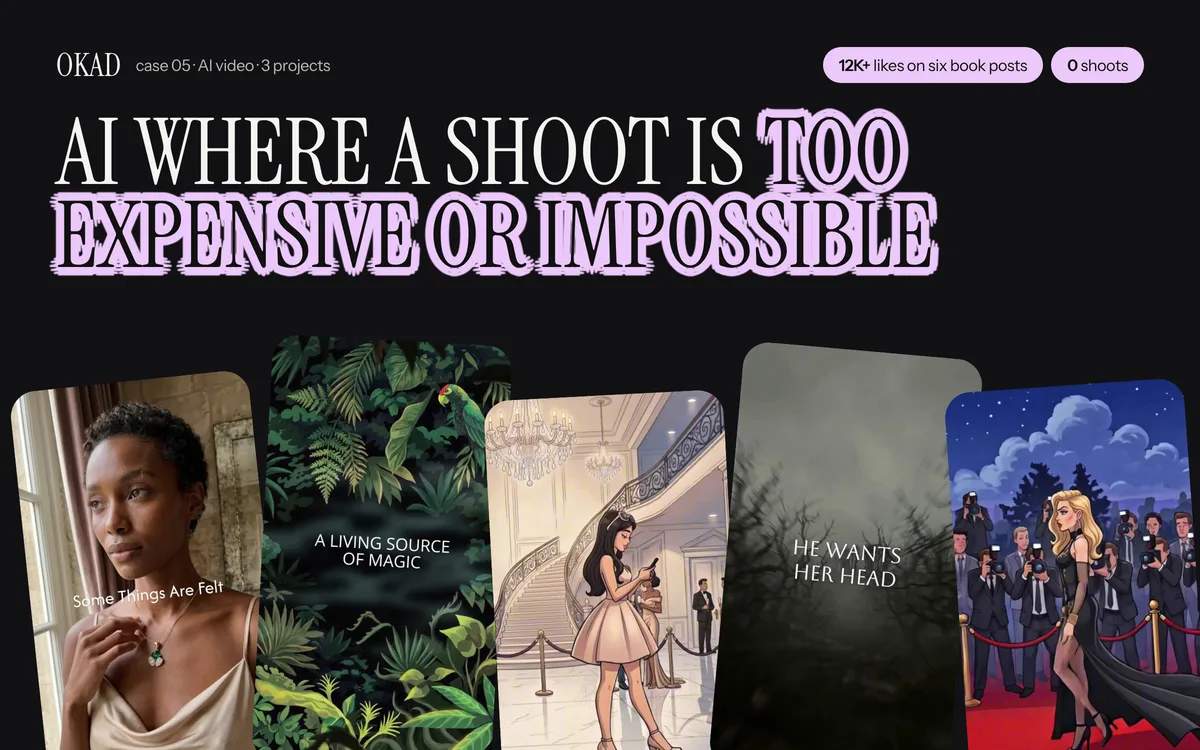
From character design to finished animated content — OKAD’s AI pipeline in action. See the full case study.
Work With OKAD
OKAD produces illustrated and animated ad creatives as part of a full creative strategy service — research, briefs, production, and testing in one retainer. No per-asset pricing. No retainer lock-in.
See pricing and book a call · Or email olga@okad.agency with your monthly ad spend and goals.
Questions people ask
How much does an AI animated explainer video cost?
An AI-produced explainer video costs $500-$2,000 for a 60-second video with character animation and professional voiceover. DIY production with AI tools runs $150-$500 if you handle editing yourself. Compare this to traditional animation studios at $10,000-$30,000 for the same length. The price depends on visual complexity, number of scenes, character consistency requirements, and whether you need professional sound design.
How long should an explainer video be?
For ads, 30 seconds maximum. For landing pages, 60-90 seconds. For YouTube or sales pages, up to 2 minutes. Viewer retention drops sharply after 60 seconds in all placements except YouTube, where engaged viewers tolerate longer content. The most effective structure: hook (5 seconds), problem (10 seconds), solution (20-30 seconds), proof (10 seconds), CTA (5 seconds).
What makes a good AI explainer video versus a bad one?
Good AI explainers have consistent character design across all scenes, smooth transitions, professional voiceover synced to the visuals, and a clear narrative arc. Bad ones have characters that change appearance between scenes, jarring cuts, robotic voiceover, and visuals that illustrate the script literally rather than adding meaning. The difference is art direction — the same AI tools produce wildly different quality depending on who is directing the output.
Can AI explainer videos replace studio animation for serious brands?
For social media ads, landing pages, and sales enablement — yes, in most cases. For broadcast TV commercials, investor presentations at Fortune 500 companies, or contexts where animation quality is scrutinized frame-by-frame — not yet. The practical test: if your video will be viewed on a phone screen in a social feed, AI quality is indistinguishable from studio quality. If it will be projected on a conference stage, invest in traditional production.
What is the best AI tool for making explainer videos?
No single tool handles the entire workflow. The current best practice is Midjourney or Flux for character and scene design, Runway Gen-4 or Kling 2.0 for animation, ElevenLabs for voiceover, and a traditional editor (Premiere, DaVinci, CapCut) for assembly. Each tool handles one step well. The editing step — combining AI-generated clips into a coherent story — still requires human skill.