Product Videos Without a Photoshoot: 3 Methods
How to create product videos without shooting new footage. Three proven methods with real results: AI visuals, footage re-editing, and AI animation.
A jewelry brand was flying a team to Paris every month for content shoots. A baby furniture company was quoting $3,000-8,000 per product photography session. A publisher needed book trailers but had no video footage — only static cover art.
All three now produce professional product videos without scheduling a single shoot. Not because AI magically replaced their production teams, but because three specific methods — each suited to different situations — let them create content from assets they already had.
Here are the three methods, how each works, and when to use which.
Method 1: AI-Generated Product Visuals
Best for: Brands that need high-volume lifestyle imagery and short-form video across multiple channels.
What you need: Existing product photos (even customer-submitted ones), brand guidelines or a mood reference, and channel specifications.
This method takes still product imagery and uses AI to generate lifestyle scenes, contextual environments, and animated product visuals around them. The source material does not need to be professional — customer photos, phone shots, and previous campaign assets all work.
Case: Dadada Baby
Dadada Baby sells premium nursery furniture through six channels: their own DTC site, Amazon, Walmart, Target, Babylist, and Wayfair. Each channel needs its own visual treatment — different sizes, different moods, different product emphasis.
Instead of scheduling product shoots for each channel, we used customer-submitted photos of their furniture in real nurseries as source material. AI generated new rooms, lighting, and staging around the actual products.
Results:
- 40+ lifestyle images and video assets across all 6 channels
- $0 in product shoot costs — every visual built from existing customer photos
- Under $700 per AI session vs $3,000-8,000 for traditional shoots
- 20-30 variations per session — enough to A/B test across channels
- Target audience: design-conscious NYC moms. Visual direction: warm, editorial, modern nursery environments

The same system, adapted for Godka (an alcohol brand), generated AI cocktail visuals that extended production shoot output and drove 200K-900K organic views per post. The method scales across product categories as long as you have reasonable source photography to start from.
Process breakdown:
- Audit existing assets — customer photos, old shoots, product renders
- Define visual direction — mood, lighting, environments, target audience
- Generate 20-30 variations with art direction controlling every frame
- Adapt outputs per channel — marketplace needs clean staging, social needs dynamic compositions, DTC needs aspirational lifestyle context
- Iterate — new SKUs, seasonal updates, and campaign refreshes take days, not new shoots
When this method fails: Products where precise physical detail is the selling point — thread counts, material grain, reflective surfaces. AI lifestyle imagery works for context; it does not replace macro product photography.
Method 2: Re-Editing Existing Footage
Best for: Brands with an archive of old ads, creator content, or behind-the-scenes footage that has stopped performing.
What you need: Raw or exported video files from previous campaigns, creator shoots, or any existing footage featuring your product.
Every brand that has run video ads for more than a year has a folder of footage nobody uses anymore. Creator videos from 2024. Campaign cuts that ran out of steam. Behind-the-scenes clips that never got edited. This footage is not dead — it just needs new structure.
Re-editing means taking existing footage and rebuilding it: new hooks, new pacing, new text overlays, new sound. The product is already on camera. The footage exists. The only thing that has expired is the creative execution.
Case: Five Brands, 80 Ads, Zero New Shoots
We took archived footage from five different brands and produced approximately 80 new ad variations without booking a single creator or scheduling any new shoots. Same products, same footage, completely different ads.
The approach:
- Pull the strongest 2-3 second segments from each existing clip
- Write new hooks (the first 1.5 seconds that determine whether someone watches)
- Restructure the narrative — problem/solution, testimonial-first, product-demo-first
- Add new text overlays, transitions, and sound
- Export in platform-specific formats (9:16 for Reels/TikTok, 1:1 for feed, 4:5 for Meta ads)
The result is not recycled content. The viewer has never seen these specific combinations of footage, hooks, and structure. For Meta’s algorithm, these are net-new creatives — they enter the auction fresh.
Why this works financially:
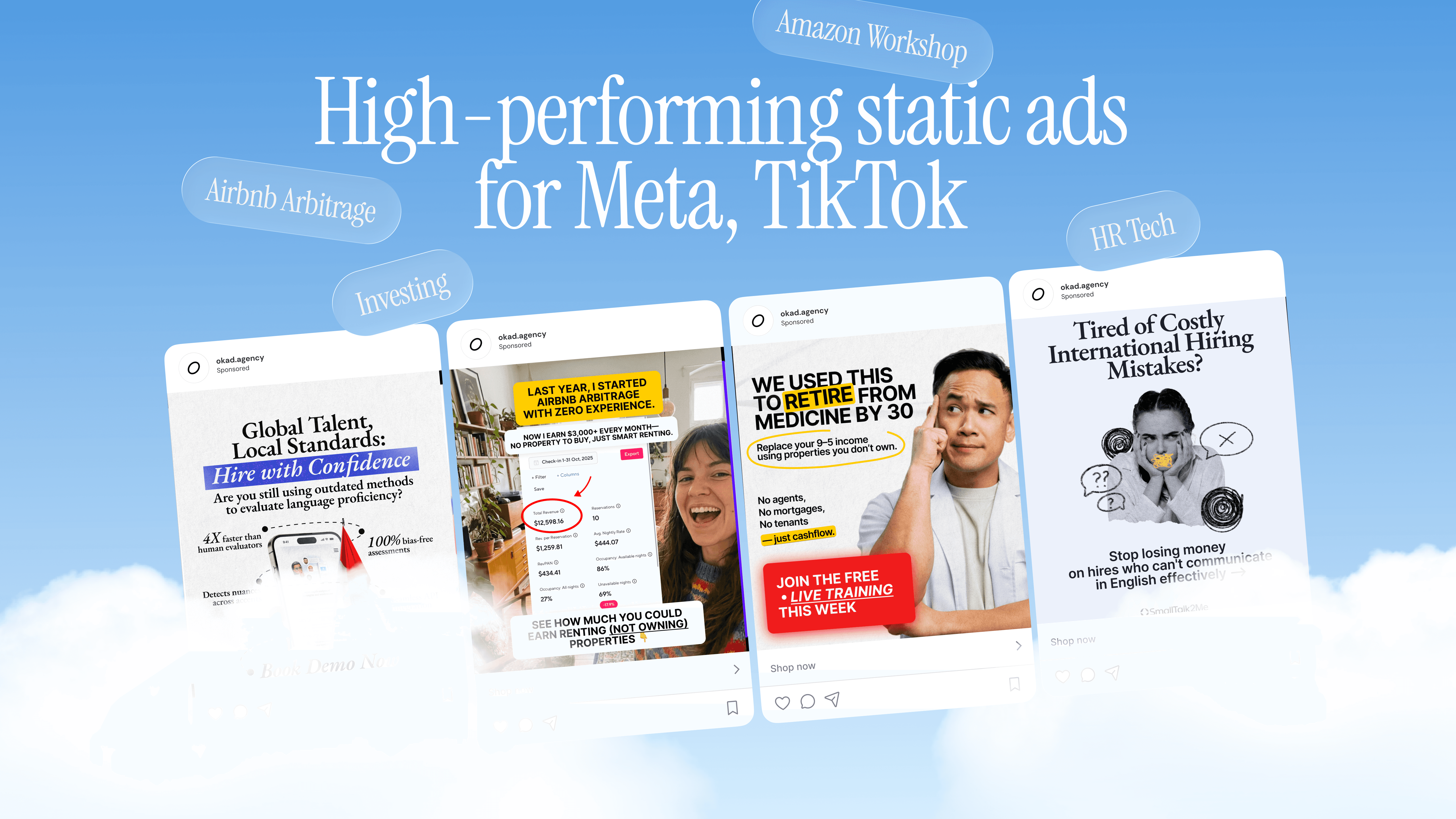
For InstaHeadshots (an AI headshot app), we analyzed 695 ads representing $471,970 in total spend and 7,648 purchases. OKAD-produced static creatives achieved a ROAS of 2.26 (StraightToLinkedIn concept) and 2.15 (HundredsOfOptions concept). More tellingly, OKAD statics outperformed UGC talking-head videos on CPA by 11% — $54.45 versus $61.01.
The production method matters less than the creative structure. A well-edited re-cut from existing footage can outperform an expensive new shoot if the hook, pacing, and offer are stronger.
Process breakdown:
- Audit the footage archive — catalog every clip by product, format, and visual quality
- Identify the strongest 2-3 second segments (clear product shots, genuine reactions, unboxing moments)
- Write 5-10 new hooks per product
- Build modular ad structures — each hook paired with different body and CTA combinations
- Export 15-20 variations for testing
- Analyze performance after 48-72 hours and iterate on winners
When this method fails: When your existing footage is genuinely unusable — poor lighting, wrong aspect ratio with no cropping room, or products that have changed significantly since the footage was shot.
Method 3: AI Animation from Still Images
Best for: Brands with strong visual assets (illustrations, photography, artwork) that need motion content but have no video.
What you need: High-quality still images — product photography, illustrations, brand artwork, or key frames composed by a designer.
This is the most technically distinctive method. AI animation tools (like Seedance) take still images and generate 4-6 second video clips with fluid motion between composed frames. A designer creates key frames — the exact compositions, camera angles, and moments that define the video — and AI animates the transitions.
The critical distinction: AI never decides the frame. Every compositional choice is made by a human. AI handles the motion between those choices. This is what separates professional AI animation from the generic, “AI-looking” content most people associate with the technology.
Case: US Publisher Book Trailers
A US publisher needed video trailers for 5 books. They had official book artwork — illustrations, cover art, interior illustrations — but zero video footage. Traditional animation would have cost $5,000-15,000 per trailer and taken weeks per book.
The process:
- Analyze source artwork for each book
- Compose key frames that capture the narrative arc in 5-8 images
- Use AI to animate between key frames — characters moving, environments shifting, atmosphere building
- Edit sequences with sound design and pacing
Results across 6 posts: 12,354 likes, 551 reposts, 449 comments. The trailers succeeded because they preserved the books’ original artistic style while adding cinematic motion — something traditional animation would have achieved at 10x the cost and timeline.
Case: Fine Jewelry Brand
A fine jewelry brand was flying to Paris monthly for content shoots. The challenge: 10+ stone types, each requiring different lighting and staging, with a “rich iPhone” aesthetic — premium but not sterile.
We replaced the monthly shoots with AI-animated product content:
- 12-18 posts and videos delivered monthly
- 3 design rules applied to every piece: never centered composition, real/matte/imperfect textures, light from the side
- Each stone type treated individually — emeralds, rubies, diamonds each have distinct visual properties that affect how light interacts with them
Six to seven months into the engagement, the brand has maintained its publishing cadence without a single additional shoot.
Case: Shuggle (Viral Concept)
For Shuggle, we created a character animation concept from 7 hand-drawn key frames. Two characters perform mirroring evasive dance steps — a concept tested across three scenarios (bike path, gala, red carpet) to validate viral potential before scaling production.
This illustrates a key advantage of AI animation: you can test concepts cheaply before committing production budget. If the bike path version does not resonate, you have lost days and hundreds of dollars, not weeks and thousands.
Choosing the Right Method
| Factor | AI-Generated Visuals | Re-Editing Footage | AI Animation |
|---|---|---|---|
| Source material needed | Product photos (any quality) | Existing video footage | High-quality stills or illustrations |
| Best output format | Lifestyle images, short clips | Full ads (15-60 sec) | Short-form video (4-15 sec) |
| Cost per unit | $25-35 per variation | $200-800 per finished ad | $150-500 per clip |
| Best for | Multi-channel product content | Performance marketing ads | Brand storytelling, social content |
| Volume potential | 20-30 per session | 15-20 per editing sprint | 10-15 per project |
| Timeline | 2-5 days | 3-7 days | 1-4 weeks |
Most brands will use more than one method. A typical production mix:
- AI-generated visuals for marketplace listings, seasonal refreshes, and DTC site imagery
- Re-edited footage for paid media testing and ad creative pipelines
- AI animation for hero social content, brand storytelling, and campaign launches
Getting Started Without a Shoot
If you have never produced content without a traditional shoot, start here:
-
Audit what you have. Open your Google Drive, Dropbox, or asset management tool. Catalog every product photo, customer image, old ad, and creator video. You likely have more usable material than you think.
-
Pick one method based on your strongest assets. Good customer photos? Start with AI-generated visuals. A folder of old creator videos? Start with re-editing. Strong brand illustrations? Start with AI animation.
-
Start with one channel. Do not try to replace your entire production pipeline at once. Pick the channel with the highest volume requirement and lowest risk (usually social, not marketplace listings) and produce one month of content using your chosen method.
-
Measure against your traditional baseline. Track cost per piece, time to delivery, and performance metrics. In our experience, shoot-free methods match or exceed traditional production on engagement while costing 50-90% less.
-
Scale what works. Once you have validated one method on one channel, expand to additional channels and add a second method. Within 2-3 months, you will have a hybrid production system that delivers more content at lower cost than traditional shoots alone.
Bottom Line
Traditional product shoots are not obsolete, but they are no longer the default. The three methods above — AI-generated visuals, footage re-editing, and AI animation — handle the majority of product video needs at a fraction of the cost and timeline.
The brands producing the most content in 2026 are not the ones with the biggest production budgets. They are the ones that recognized their existing assets — customer photos, archived footage, brand artwork — are raw material for new content, not artifacts of past campaigns.
Start with what you have. Produce more from it. Save the traditional shoot budget for the moments that truly require a camera in the room.
Questions people ask
Can you really make professional product videos without any footage?
Yes. We produced 40+ lifestyle visuals for Dadada Baby using only customer-submitted photos as source material — zero product shoots. For video content, AI animation tools can turn still images into 4-6 second clips with professional-quality motion. The output is indistinguishable from traditionally produced content in social feeds.
What kind of source material do I need to create product videos without shooting?
At minimum, 3-5 clear product photos from any source — customer photos, phone shots, previous campaigns. For footage re-editing, you need existing video assets (old ads, creator content, behind-the-scenes clips). The better your source material, the higher the ceiling of your output.
How much do shoot-free product videos cost?
AI-generated product visuals cost under $700 per session for 20-30 variations. Re-editing existing footage into new ads runs $200-800 per finished video. AI animation from still images costs $150-500 per clip. All three methods cost 50-90% less than traditional video production for equivalent output.
Which method works best for e-commerce product videos?
For marketplace listings and DTC sites, AI-generated lifestyle imagery is the strongest starting point — it produces the volume you need across channels. For social ads and paid media, re-editing existing footage delivers the fastest results with proven performance. For brand storytelling, AI animation creates the most visually distinctive content.
Will customers notice that product videos were not traditionally shot?
In social feeds, no. AI-generated content and re-edited footage perform at or above the level of traditionally shot content on engagement metrics. InstaHeadshots found that OKAD-produced static creatives outperformed UGC talking heads on cost per acquisition by 11%. The format matters more than the production method.